Your office's know-how, written down and in one place
For practices, firms, clinics, school offices and small teams that cannot afford for a procedure to live in one person's head.
Cover for anyone
When someone is out, the next person opens the manual and follows it step by step. No more waiting until Monday.
Onboard faster
New hires learn from the real screens, at their own pace, instead of shadowing someone for a week.
Show your training
Every read and every run is logged with a name and a date, ready for an audit or a training file.
One app instead of four subscriptions
Most offices pay separately for a screenshot tool, a guide maker, a PDF editor, and someone's time keeping the training spreadsheet.
What most offices juggle today
- Screenshots and Word
Snip, crop, paste, draw the arrows, type the steps. An afternoon for each procedure, out of date by next quarter.
Hours of someone's time - A guide-making tool
A browser extension that only sees the browser, and uploads every screenshot to its own cloud.
Another per-person subscription - A PDF editor
Acrobat or Nitro, to fill in, sign, redact and fix the forms the procedures point to.
$23.99 a person a month for Acrobat Pro - A training spreadsheet
Who read which procedure, and when, kept by hand. Until the auditor asks for it.
Nobody's job, until it is
 Sopycat, one app on each PC
- Do the task once: the manual, the video and the checklist write themselves
- Records any Windows program, not only the browser
- A full PDF editor: fill in, sign, redact, merge, convert
- Reading confirmations and training records, saved as a spreadsheet
- Blurs names, emails and card numbers in the pictures for you
- Share it as a PDF, a Word file, a web page or a video
- A shared library on your own drive, with edit locks
- Everything made and kept on your own PC. Nothing uploaded, and it works offline
- Screenshot tool
- Guide maker
- PDF editor
- Training spreadsheet
One price per person. Every feature in every plan.
Try it free for 14 daysOne library, on a drive you already have
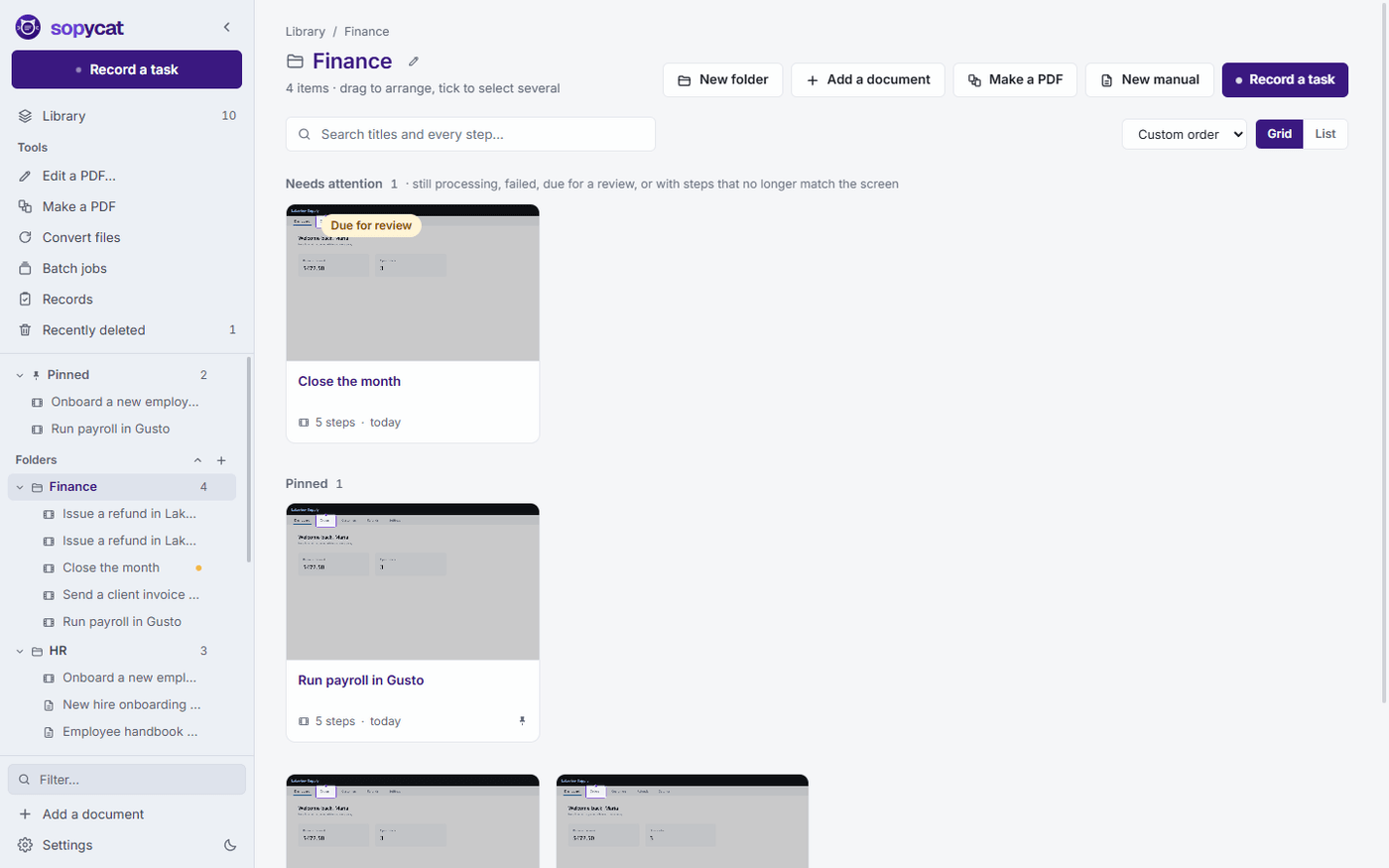
There is no Sopycat server to sign up for. Put the library folder on OneDrive, Dropbox, Google Drive or a network share, point each copy of Sopycat at it, and everyone works from the same manuals and documents.
- When someone has a document open, everyone else is told, and a PDF opens read-only until they are done.
- If two people save the same thing from different computers, Sopycat shows both and lets you keep yours as a copy, take theirs, or compare.
- Folders, labels, owners and review dates travel with the files.
Training you can prove
Most procedures do not need a learning platform. They need someone to read them, do them once with help, and a record that it happened.
Ask staff to read it
Publish a manual with an optional due date and a line of explanation. Readers see a banner and press I have read this.
Let them do it with help
Follow along opens beside the program they are using and walks through one step at a time, with each step's own clip.
Keep the record
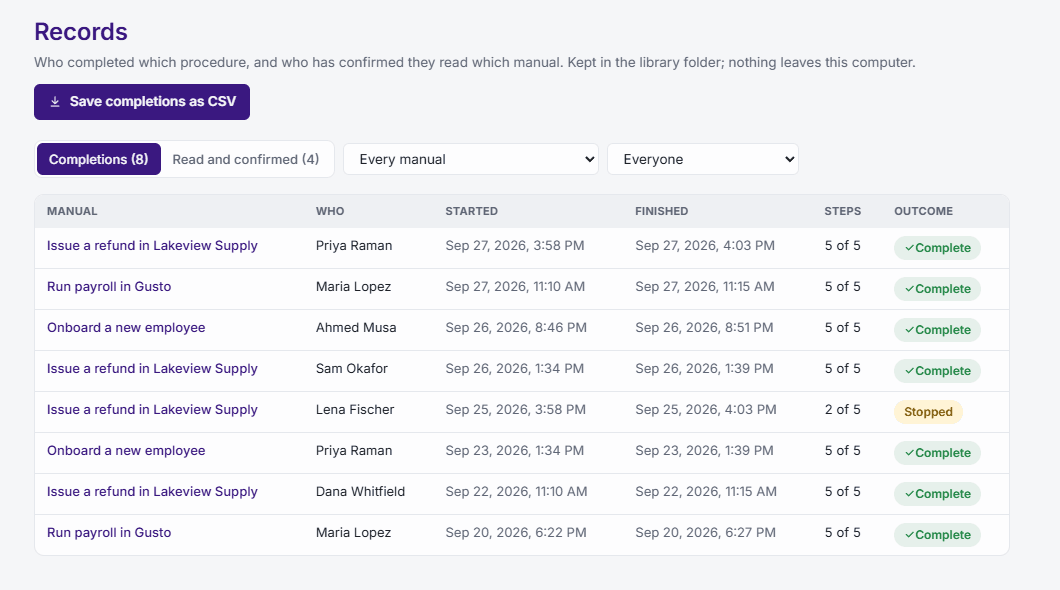
Records lists every completion and confirmation: who, when, which steps, anything skipped and why. Save it as a spreadsheet for the training file.
Regulated-office mode
For offices that handle health, legal or financial information and must be able to say exactly where data goes. One switch, for everyone.
- Online writing is switched off, so no picture of any screen leaves the computer.
- Sharing a manual as a web page is switched off.
- Updates wait until the office decides to install them.
- Personal details can be blurred in every picture automatically as each manual is made.
- Redactions in PDFs are checked before they are saved, and logged.
Up and running in an afternoon
Most of that time is spent recording.
Install on each PC
The installer needs no administrator rights. Each person adds their name in Settings, so records and comments say who.
Point everyone at one folder
Choose the shared folder in Settings, under where your manuals are kept. Sopycat backs it up every week on its own.
Record the top ten
Ask each person for the task they get asked about most, and record it once. That is the start of your office manual.
One price per person. Every feature.
Office plans come with one key per person and one invoice.