
Turn a Steps Recorder file into a PDF manual
Open a Steps Recorder file and convert it to a PDF, free. Bring the .zip or .mht that Windows' Steps Recorder (psr.exe, once called Problem Steps Recorder) saved. Each log line becomes a short instruction beside its picture; reword what needs it and save a clean manual. The file is never uploaded.
Runs in this browser tab. Your file is not uploaded: there is no server to send it to.
Drop a Steps Recorder file here
The file Steps Recorder saved. It stays in this tab.
How to open a Steps Recorder .zip or .mht file
- 1
Drop the .zip or .mht on the page, or choose it.
- 2
Read through the steps. Reword an instruction, add a note, move or remove a step.
- 3
Give the manual a title and press Save as PDF.
What the Sopycat app adds
- Open Steps Recorder files straight into your library and keep editing them as manuals.
- Record new procedures the same way Steps Recorder did, with the step written for you.
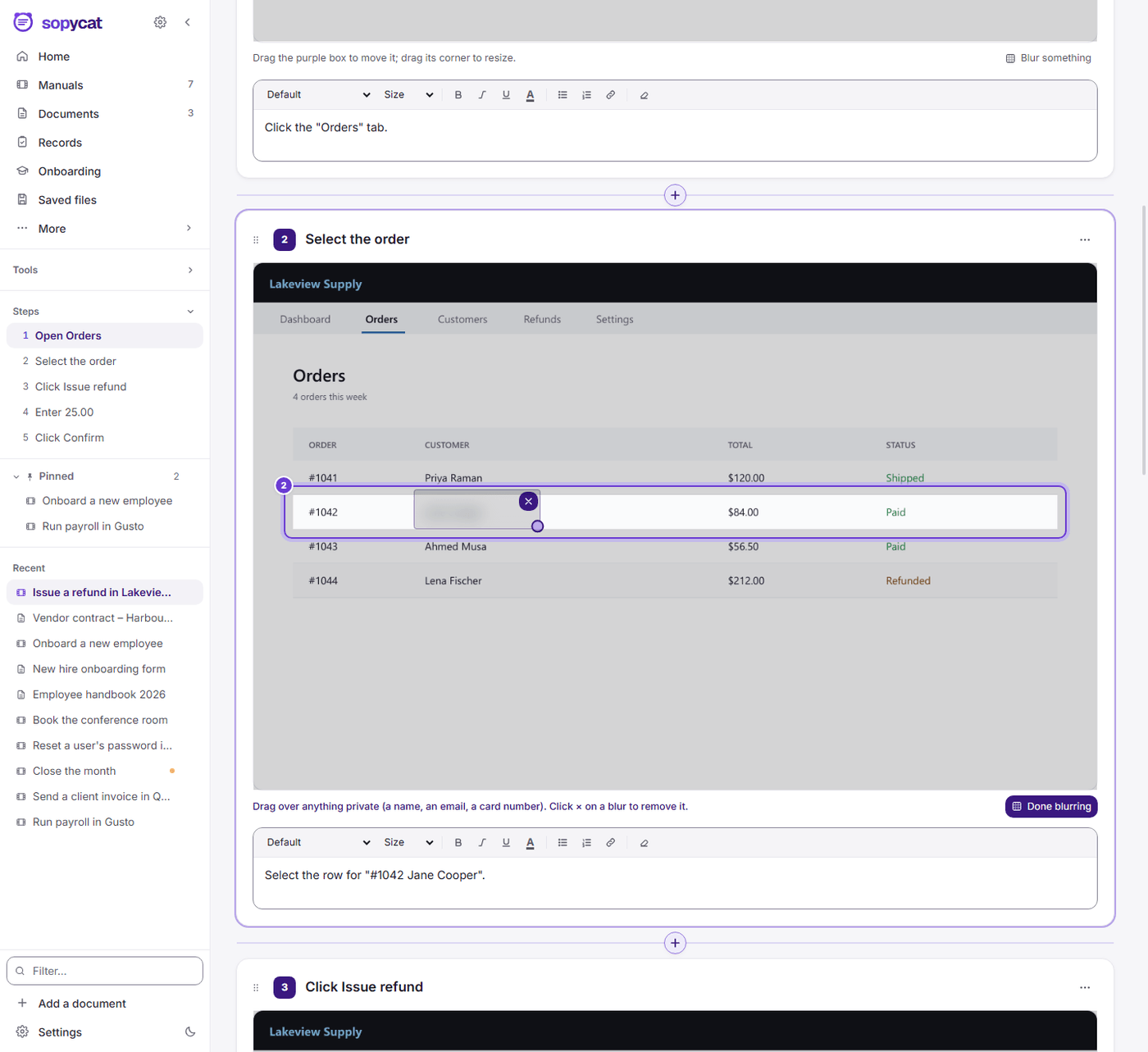
- Blur a name, split or merge steps, or record one step again.
- Save as a PDF, a Word document, a web page or a video.
Looking for a replacement for Steps Recorder? The app records new procedures the same way.
Questions about Steps Recorder files
- Is my Steps Recorder file uploaded?
- No. The file is opened by your browser, on your computer. There is no server behind this page that could receive it, and closing the tab discards everything.
- Which file do I bring?
- The .zip that Steps Recorder saved, or the .mht file inside it. Other web archives are not read: only the ones Steps Recorder writes.
- What changes compared with the Steps Recorder file?
- Each log line, such as User left click on "Start (push button)", becomes a short instruction, Click Start, which you can reword. The pictures are kept as Steps Recorder took them.
- Is Steps Recorder going away?
- Microsoft deprecated Steps Recorder in 2023 and has said it will be removed from Windows in a later release. Files it already saved can still be opened here.
- What should I use instead of Steps Recorder?
- To record new procedures, the Sopycat app does what Steps Recorder did, a step with a picture for every click, and writes the instructions for you. This page is for opening the files Steps Recorder already saved.
- Is the Steps Recorder tool free?
- Yes. It is free, with no account and no limit on how often you use it.
Microsoft's own page on the Steps Recorder deprecation has its current status.
Do the task once. Sopycat writes the manual.
The Windows app records what you do and turns it into a step-by-step manual, with a full PDF editor beside it. Everything stays on your computer.